





























































































































Understanding MIDI: A Beginner’s Guide
For those who have never heard of MIDI or are still confused about what it is, this page is for you. Hopefully, this will help you easily step into and understand the digital side of music and sound.
In this section, we will discuss MIDI in general terms and will not dive into highly technical details like MIDI channels, layers, and so on.
What is MIDI?
MIDI stands for Musical Instrument Digital Interface. Simply put, MIDI is a communication protocol created to digitally connect musical instruments to computers (and vice versa) so they can talk to each other. Although MIDI technology has been around for over 30 years and has evolved significantly, its core concept remains the same: MIDI is not actual sound or a specific sound wave frequency. MIDI is data. It is a communication protocol between electronic devices that contains digital instructions.
MIDI Files (.mid)
Keyboard players are likely familiar with MIDI files (with the .mid extension). Many people use the term “MIDI” to refer directly to these files, and some even mistake a MIDI file for an actual song. While this understanding isn’t entirely wrong, a MIDI file is not a digital song file in the way an MP3 or WAV file is. A MIDI file contains various layers of digital instructions, which include:
Pitch (how high or low a note is)
Velocity (how loud or soft each note is played)
Instrument type (the sound patch selected)
Transport functions (play, pause, stop) and other control data.
How it Works in Real Life:
When you copy a MIDI file (.mid) to a USB drive and play it on a keyboard, the keyboard is not playing a pre-recorded audio file like an MP3. Instead, the keyboard is reading the instructions inside the MIDI file. It tells the keyboard: “Play this specific note, with this exact rhythm, using the piano sound that is already built into your keyboard.” The sound you hear comes entirely from the keyboard’s internal synthesizer, not from the computer where the file was created.
MIDI Controllers
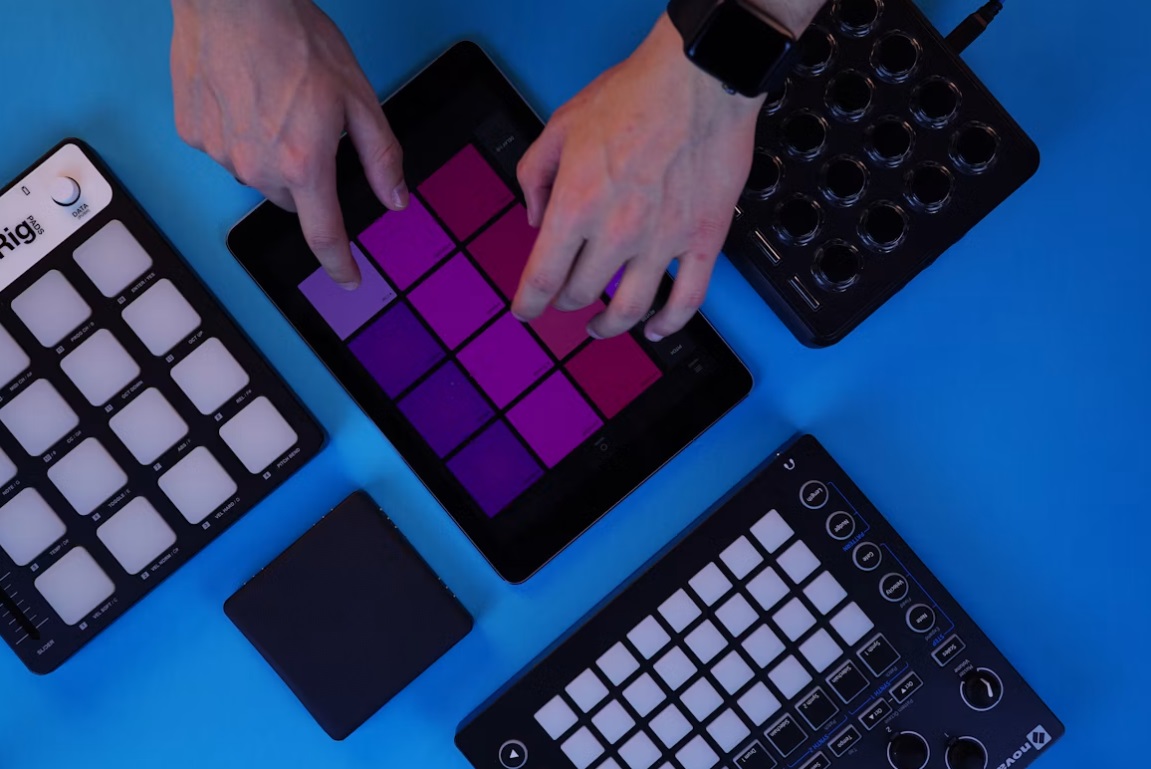
A MIDI Controller is a device used to control software (usually music and visual software) on a PC, laptop, or smart device using the MIDI protocol. Today, MIDI controllers come in many shapes and sizes, including:
Keyboards (the most common)
Pad controllers (for drum beats)
Electronic drum kits and percussion pads
DJ controllers, digital guitars, and even wind instruments.
With the rise of touchscreens, we now even have virtual MIDI controllers in the form of mobile apps and software. In this case, you have software controlling other software!
How to Connect Them
Originally, devices were connected using traditional MIDI DIN connectors (3-pin and 5-pin). Today, this has largely evolved into USB MIDI, which makes things plug-and-play.
Connecting them is straightforward:
Plug one end of the cable into the MIDI OUT jack of the sending device (usually your musical instrument or MIDI controller).
Plug the other end into the MIDI IN jack of the receiving device (usually a sound module, synthesizer, or computer).
Quick Summary: The Music Box Analogy
To make it even easier to visualize, think of MIDI like a vintage music box cylinder or the perforated paper roll in a player piano:
The MIDI File (
.mid): Is the paper roll with holes in it. The paper itself makes absolutely no sound if you wave it in the air.The Instrument (Keyboard/Sound Module): Is the piano mechanism.
The Process: When you feed the paper roll (MIDI file) into the player piano (Keyboard), the machine reads the holes and physically presses the piano keys. If you put that same paper roll into a pipe organ machine, it will play the exact same notes, but it will sound like an organ instead. z
Quick Comparison: MIDI vs. Audio (MP3/WAV)
| Feature | MIDI (.mid) | Audio (MP3 / WAV) |
| What is inside? | Digital instructions (musical notes/commands). | Actual recorded sound waves. |
| File Size | Extremely small (usually just a few Kilobytes/KB). | Large (Megabytes/MB). |
| Sound Quality | Depends on the device playing it (better keyboards/software yield better sound). | Consistent; sounds exactly the same on any playback device. |
| Flexibility | Highly editable (you can change notes, tempo, or instruments instantly without losing quality). | Difficult to edit individually (e.g., you cannot easily change a piano note without ruining the vocals). |