











































































































Understanding Stage Lighting Operational Modes
After exploring the different types of stage lighting fixtures in our previous article, let’s dive deeper into the various methods used to control them. If you frequently see the term “Operational Mode” in lighting spec sheets but aren’t quite sure what it means, this article is for you.
An Operational Mode is the specific setting or method used to control a lighting fixture. Depending on the mode, you can control various aspects of the light, such as its direction, beam angle width, color, color-changing speed, dimming, strobing, and other special effects.
Here are the primary Operational Modes used in stage lighting today:
1. Manual / Remote Control
The most basic method is manual control, which traditionally required you to physically walk up to the fixture to adjust its onboard settings.
Thanks to modern technology, almost everything can now be managed remotely or automatically—with the obvious exception of follow spots, which still require a human operator to physically track a performer on stage. To make manual adjustments easier from a distance, many modern lights come with wireless RF (Radio Frequency) remotes. These remotes allow you to toggle simple settings like color changes, dimming, strobe speeds, and basic built-in effects without touching the fixture.
2. Auto / Sound-Active Mode
Sound-Active Mode is the ultimate plug-and-play choice for venue owners who want a dynamic light show but do not have a dedicated lighting technician.
Auto Mode: The light independently runs through its factory-programmed sequences at a set speed.
Sound-Active Mode: The light uses a built-in microphone to listen to the surrounding environment. It analyzes the music’s beat and basslines, triggering color changes, flashes, and movements in perfect sync with the rhythm.
3. Master / Slave Mode
Master/Slave Mode is an operating setup where one or more fixtures (the slaves) are linked to automatically mimic the exact behavior of another fixture (the master).
Lighting designers frequently use this mode to deploy simple, synchronized light shows across multiple fixtures without needing a central controller. By setting up just one master unit (running on Auto or Sound-Active mode), all connected slave units will move, flash, and change colors in perfect harmony.
4. DMX512 Mode
DMX512 (Digital Multiplex) is the industry-standard communication protocol that unlocks deep, granular control over every parameter a fixture has to offer—including dimming curves, precise color mixing, gobo rotations, moving head pan/tilt coordinates, and macro effects.
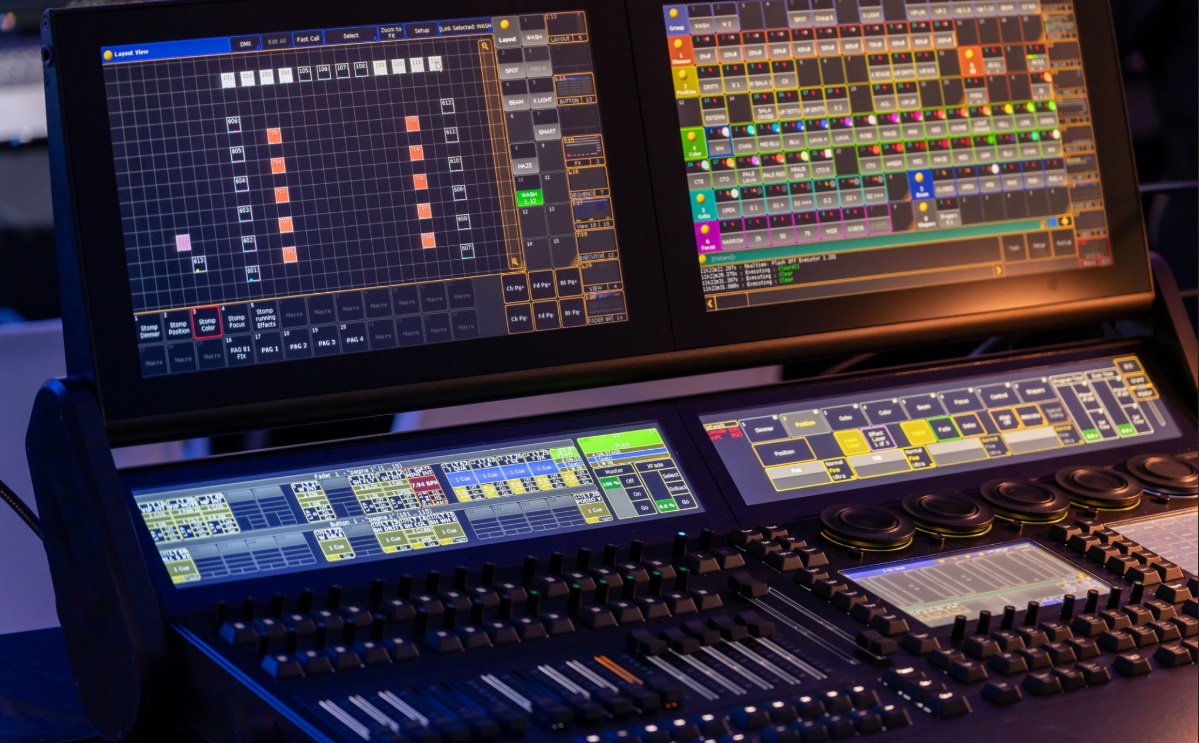
To harness DMX, you need a controller. This can be a physical hardware mixer or a PC-based DMX software system. Software control is highly favored for complex setups because it removes the physical limitations of hardware buttons and faders. Furthermore, modern DMX software can easily be mapped to standard MIDI controllers for tactile, customized control.
A popular introductory software option for DMX control is MyDMX.
5. Art-Net / Kling-Net Mode
Art-Net and Kling-Net are advanced protocols typically used to control LED pixel bars and panels for massive, coordinated animations or video playback—a technique known as Pixel Mapping.
Art-Net: A protocol developed to transmit standard DMX data over Ethernet cables using UDP (User Datagram Protocol), the same core network protocol utilized by internet communications. It allows for thousands of DMX channels to be sent over a single network cable.
Kling-Net: A proprietary protocol created by ArKaos specifically designed to distribute real-time video data directly to large-scale arrays of LED panels. It bypasses complex DMX addressing, making pixel mapping plug-and-play. Popular software options for running Kling-Net systems include ArKaos GrandVJ and MediaMaster.
6. ILDA Mode (Laser Control)
ILDA (International Laser Display Association) originally started as an international association for lighting designers, specifically laserists (designers specializing in laser shows). Over time, the association standardized a specific image format designed to transfer custom graphics and coordinates from a control system to a laser projector.
Laser projectors equipped with an ILDA operational mode can be custom-programmed to project intricate geometric shapes, custom text, and full-motion animations. One of the world’s most powerful and widely used software ecosystems for controlling ILDA lasers is Pangolin